Best AI Task Automation Tools for Progress Reports (2026)
Your team probably spends Sunday evenings assembling progress reports from scattered WhatsApp messages and field notes. That manual workflow eats hours every week, and it only gets worse as your headcount grows. By the end of this article, you will know exactly which AI task automation tool fits your team size, your field staff needs, and your budget, plus a clear number one pick that handles reporting directly inside WhatsApp.
We compare six tools across natural language processing, reporting accuracy, and integration ease, then break down pricing models so you can decide without a demo call. You will leave with concrete criteria and a verdict, not marketing fluff.
What to Look For in AI Task Automation Tools for Progress Reports
When evaluating AI task automation tools for progress reports in 2026, focus on three core pillars: natural language processing (NLP) for intuitive task creation, reporting accuracy for reliable stakeholder updates, and integration ease to fit seamlessly into your existing workflow. The best tools leverage NLP to convert natural language or voice notes into structured tasks, which directly impacts report accuracy. A simple voice command like "log three hours on the Q3 launch project" becomes a structured data point that later appears in your report.
Accurate data aggregation from tasks, time tracking, and milestones is crucial for generating trustworthy progress reports. If your tool pulls inconsistent timestamps or misses completed milestones, every downstream report inherits those errors. Look for platforms that automatically reconcile task status with time logs and project deadlines before generating output.
Integration ease matters just as much as raw capability. Tools should connect via APIs to CRM, ERP, Slack, or email to automate report scheduling and delivery. Strong API connectivity means your progress report generator can pull fresh data from multiple sources without manual export and import cycles.
When comparing options, build a checklist of features to evaluate side by side. Consider report templates, custom metrics, drag-and-drop builders, AI summarization, anomaly detection, and export options such as PDF or Excel. Real-time dashboards and trend analysis are essential for KPI tracking, so verify that any tool you consider offers live visualizations rather than static snapshots.
Key Features: Natural Language Processing, Reporting Accuracy, and Integration Ease
Dive deeper into the three key features: NLP enables you to create tasks and reports using everyday language, reporting accuracy ensures your progress reports reflect real-time data, and integration ease allows you to automate report generation within your existing apps like Slack or email. NLP transforms how teams interact with their automation tools. Instead of navigating complex menus, you type or speak commands like "create a report for Project X" and the system responds by building the report structure automatically.
Reporting accuracy improves through machine learning that validates data and detects anomalies. For example, if a task shows 40 hours logged on a single day, the tool flags it for review before publishing stakeholder updates. This automated validation layer reduces human error and builds trust in your reporting pipeline. Predictive analytics also play a role here, helping you forecast project status based on historical velocity and current workload patterns.
Integration APIs connect your automation tool to the platforms your team already uses. CRM systems feed customer data, ERP systems contribute resource allocation, and Slack alerts notify stakeholders when reports are ready. Report scheduling automates delivery, so weekly status updates arrive in inboxes every Monday at 9 AM without anyone lifting a finger.
Use this comparison framework to evaluate your options:
| Feature Category | What to Look For | Why It Matters |
|---|---|---|
| Natural Language Generation | Voice or text command support | Reduces time spent on manual data entry |
| Data Aggregation | Automatic sync with task and time tools | Ensures reports reflect current project state |
| Report Customization | Drag-and-drop builder, custom metrics | Tailors output to different stakeholder audiences |
| AI Summarization | Executive summaries generated automatically | Saves hours of writing and editing |
| Anomaly Detection | Flags unusual data patterns | Prevents inaccurate reporting |
| Export Options | PDF and Excel formats | Supports diverse distribution needs |
| Integration APIs | CRM, ERP, Slack, email connectors | Enables workflow automation across tools |
| Real-time Dashboards | Live KPI tracking and trend analysis | Supports proactive project management |
Trend analysis deserves special attention because it identifies patterns over time. A tool that shows your team consistently underestimates testing timelines helps you adjust future estimates. Machine learning algorithms can surface these insights automatically, turning raw task data into strategic intelligence. For 2026, prioritize tools that combine predictive analytics with clear visualizations, so you can act on trends rather than just view them.
Finally, consider how the tool handles project status updates across multiple teams. Milestone tracking should roll up automatically into portfolio-level reports. When you evaluate reporting tools, test how easily they aggregate data from several projects into a single executive summary. Data aggregation quality determines whether your stakeholder updates are trusted or questioned.
1. Tasks.Bot - Best Overall
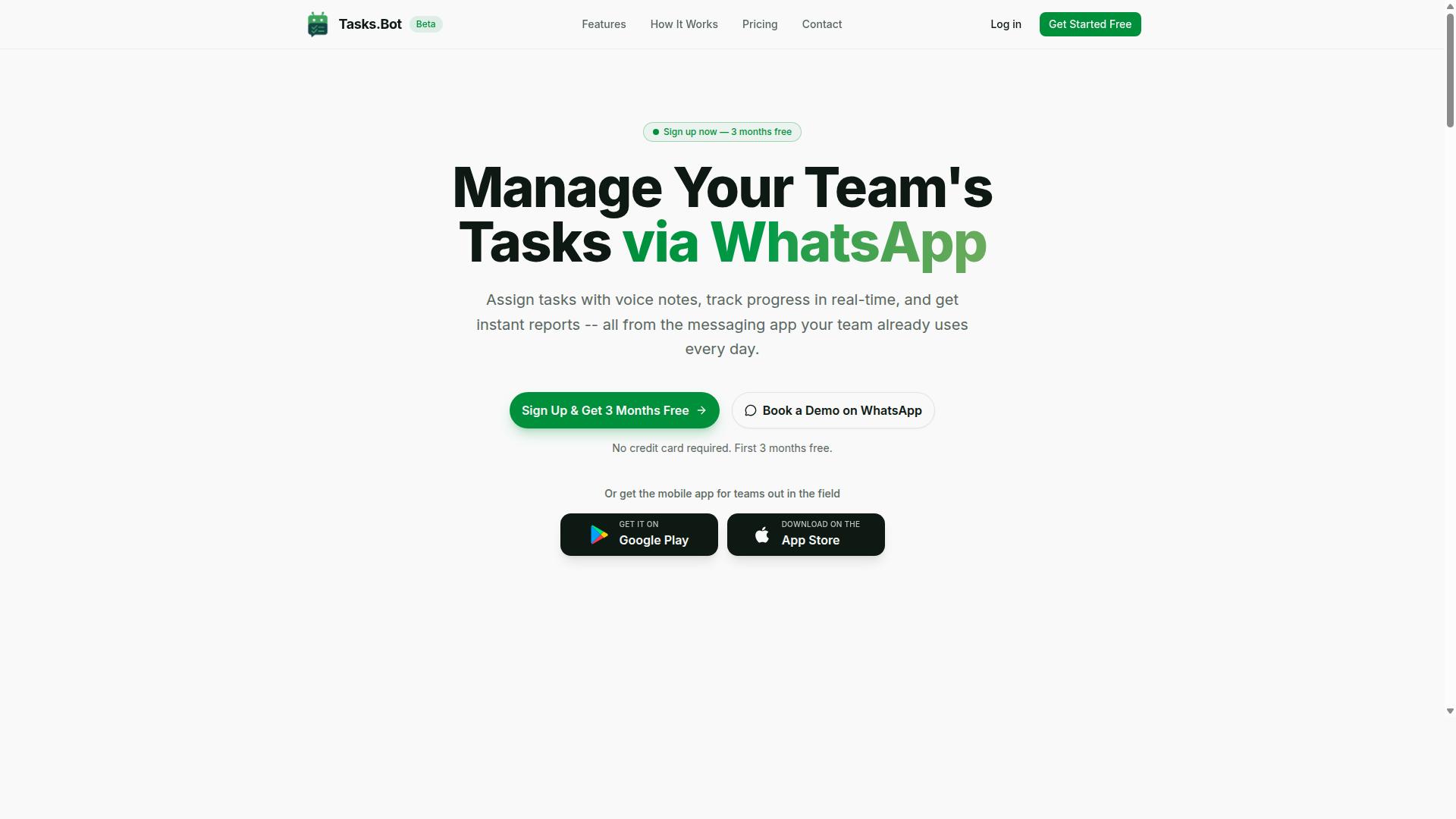
Tasks.Bot stands out as the best overall AI task automation tool for progress reports, operating entirely within WhatsApp to let teams assign tasks, track progress, and receive instant reports without leaving their messaging app. This native integration means team members can manage their entire workflow from a platform they already use daily.
The tool combines voice note task creation, automatic task assignment, and smart deadline reminders into a single streamlined experience. Its AI understands natural language and voice notes, so creating a task is as simple as sending a message. This removes the friction of typing out detailed descriptions or filling in forms.
Beyond basic task management, Tasks.Bot includes approvals and automations that keep workflows moving without constant manual oversight. For reporting, it provides instant reports that reflect real project status. The service is currently in beta and offers a demo directly on WhatsApp, making it easy for teams to evaluate before committing.
WhatsApp-Native Automation with AI Voice Task Creation and Instant Reports
This section details how Tasks.Bot's WhatsApp-native automation, combined with AI voice task creation and instant reports, streamlines progress reporting for teams, especially those with field staff. The workflow starts when a team member sends a voice note or text via WhatsApp. The AI understands the intent and creates the task from the message.
For progress reporting, Tasks.Bot provides instant reports that can be shared within WhatsApp. The AI understands user intent to create tasks from messages, which supports efficient reporting workflows.
Two differentiators make this tool particularly valuable: face-verified attendance tracking and payroll-ready hours. These features eliminate guesswork around field staff presence and hours worked.
Tasks on a map and a live day tracker add geographic context for teams spread across locations. The native WhatsApp integration means no installation or new accounts are required, which is critical for field teams who rely on their phones for communication. Enterprise-grade encryption ensures task data and conversations remain secure and are never shared or used for training purposes.
The combination of voice capture, automatic assignment, and instant reporting creates an automated reporting loop that saves hours of manual data entry. Teams using this tool get reports through simple WhatsApp messages, making it an effective progress report generator for 2026 workflows.
2. Reminderly.ai
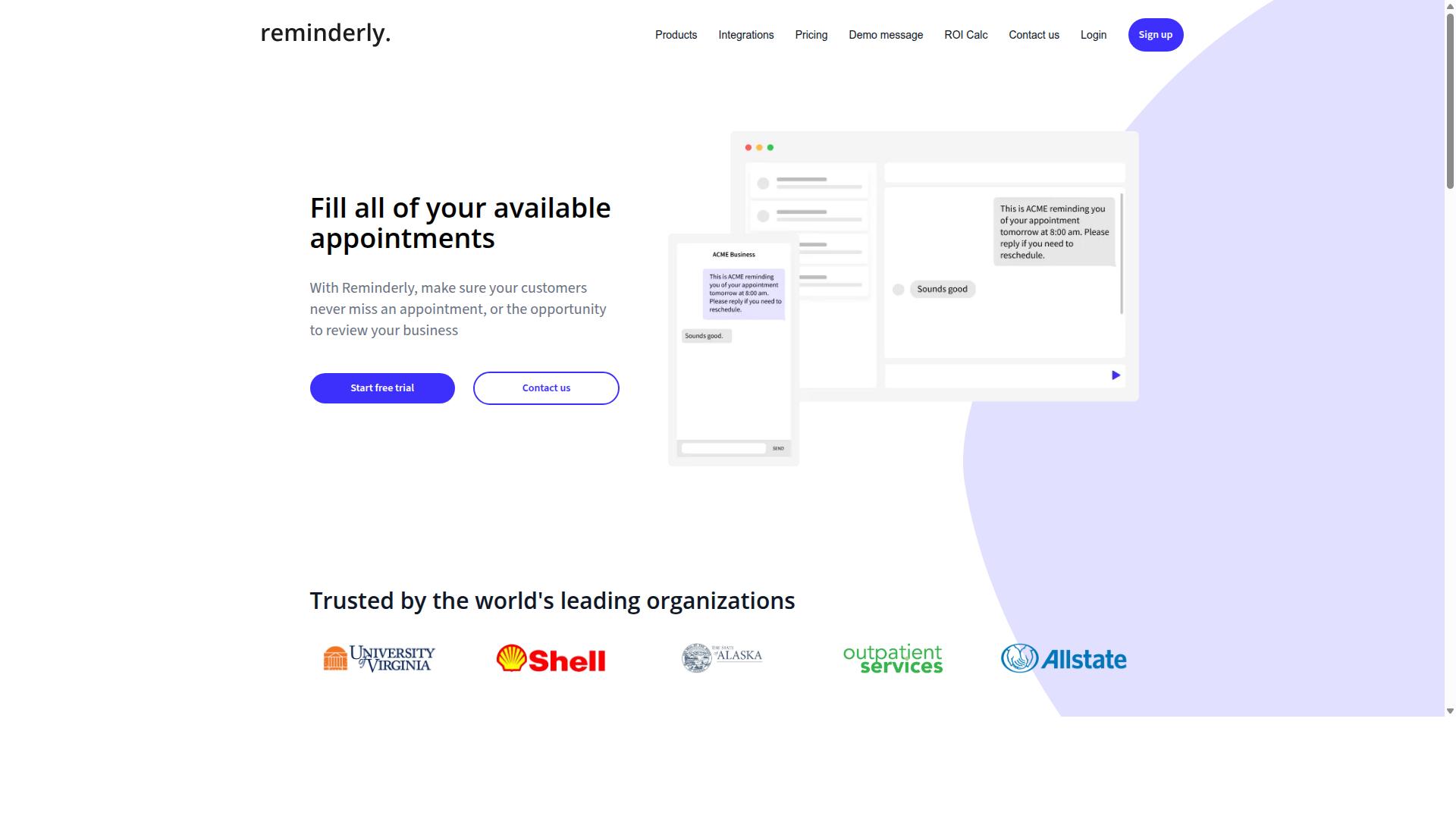
Reminderly.ai focuses on automated reminders and report scheduling, making it a solid choice for teams that need to keep stakeholders updated without manual follow-ups. The platform positions itself around the idea that progress reporting should happen on autopilot, with alerts and updates delivered directly to the people who need them.
Its likely strengths include integration with email and Slack for alerts, which means project status updates can reach team members and executives without requiring anyone to check a dashboard. The tool appears designed for organizations that rely on recurring check-ins, such as weekly stakeholder updates or monthly KPI reviews.
Reminderly.ai may also offer report templates and export options to streamline the delivery of formatted documents. Users can potentially schedule automated reporting at set intervals, allowing the system to pull relevant data and generate a summary without manual assembly.
When evaluating Reminderly.ai, consider how its natural language generation handles complex project data. Some tools struggle to produce coherent narratives from raw metrics, so testing its AI summarization with your actual datasets is wise.
Also review its integration APIs carefully. Check whether it connects with your existing task management, CRM, or ERP systems, since data aggregation quality depends entirely on the sources it can reach. Teams that need real-time dashboards or predictive analytics may find Reminderly.ai better suited to scheduled snapshots than live monitoring.
For teams that value report scheduling over deep analysis, Reminderly.ai could reduce the administrative burden of progress reporting. Just verify that its alert cadence and delivery channels match how your organization prefers to receive project updates.
3. TaskRio
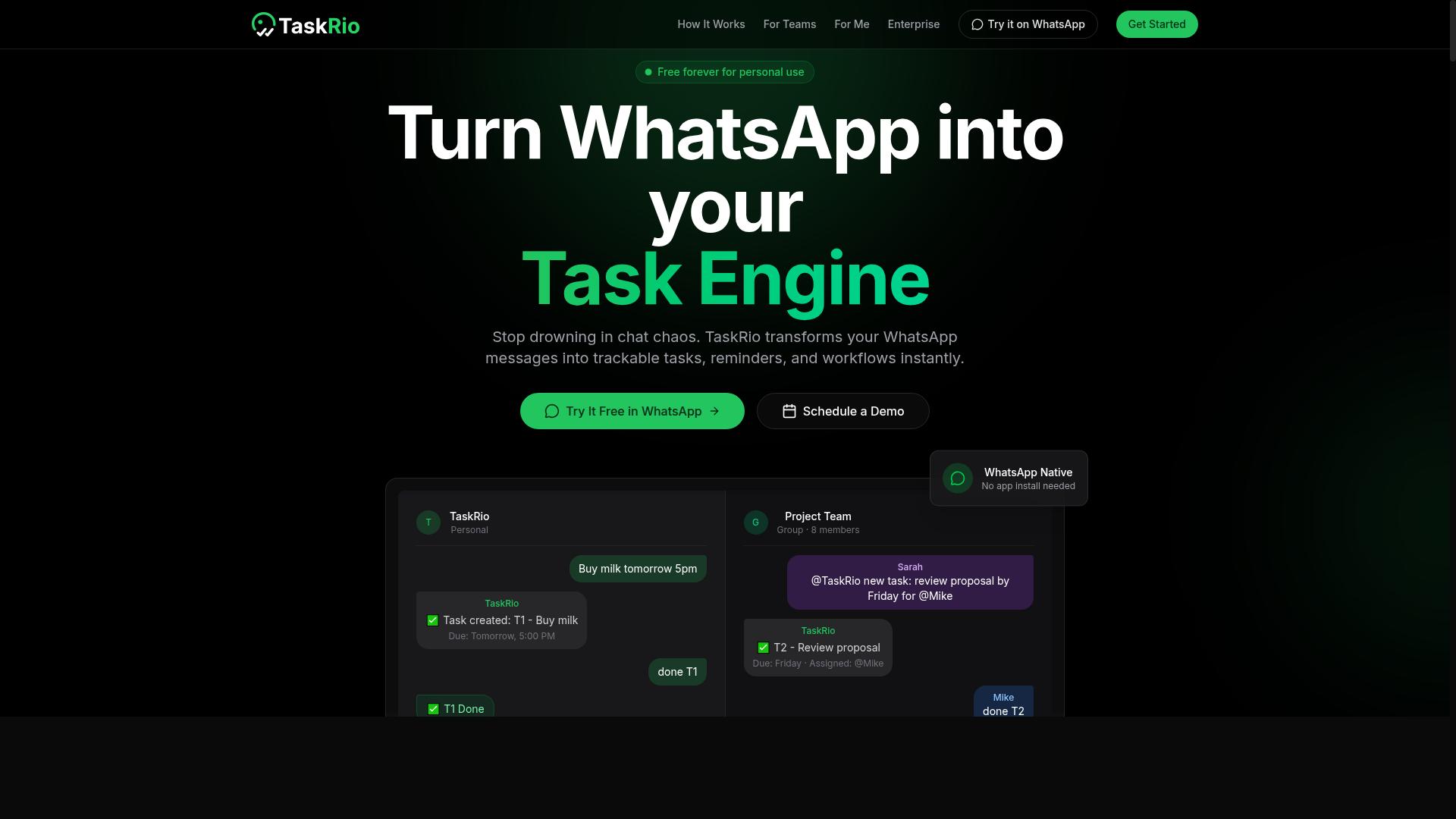
TaskRio positions itself as a workflow automation platform with robust reporting features, but its suitability depends on how well it integrates with your existing project management stack. For teams that rely on CRM and ERP systems, the platform's value often hinges on how cleanly it can pull data from those sources into a single reporting view.
The core appeal of TaskRio is its ability to automate task assignments based on project status. When a milestone shifts or a deliverable is marked complete, the system can theoretically reroute work and update stakeholder updates without manual intervention.
For progress report generation, TaskRio appears to support real-time dashboards that track project status at a glance. This can be useful for teams that need to monitor KPI tracking and milestone tracking across multiple initiatives without building spreadsheets by hand.
Before committing to TaskRio, check whether it offers a drag-and-drop report builder and support for custom metrics. Many reporting tools look capable in a demo, but they fall short when your team needs specific data aggregation or AI summarization for executive updates.
Integration ease should be your primary evaluation criterion. Ask whether TaskRio connects to your CRM and ERP systems through integration APIs and whether those connections support two-way data sync.
Also consider how the platform handles report scheduling and delivery. Look for options that support email reports, PDF export, and Excel export, since these formats are commonly required for stakeholder updates. If your team relies on Slack alerts, verify that the tool can push automated reporting notifications to your communication channels.
Teams that need predictive analytics or anomaly detection may find TaskRio's capabilities useful, but these features vary by implementation. Research suggests that workflow automation tools deliver the most value when they match the maturity of your existing processes. If your team is still managing tasks in spreadsheets, a platform like TaskRio may require significant setup before it generates meaningful progress reports.
For 2026 software evaluations, prioritize tools that can demonstrate real-world integration scenarios. TaskRio may be a strong fit for organizations with established CRM and ERP workflows, but teams with simpler project management needs might find the setup overhead unnecessary.
4. Karo.bot
Karo.bot aims to simplify task management and reporting through conversational AI, but its effectiveness for progress reports hinges on its data aggregation and export capabilities. This type of assistant typically lets teams create tasks, update statuses, and check project health directly from a chat window. The appeal is clear: less time spent clicking through dashboards and more time acting on the information.
For teams considering Karo.bot, the natural language generation features are the main draw. You can ask for a status update in plain English and expect the tool to pull together relevant project status information from your active tasks. Many AI reporting tools in this category also offer automated status updates, where the system prompts team members for progress and compiles the responses automatically.
When evaluating Karo.bot for progress reporting, focus on three key areas. First, check whether it provides AI summarization that condenses multiple task updates into a readable narrative. Second, look for trend analysis that shows whether your project velocity is improving or declining over time. Third, confirm the output formats: PDF export and Excel export are essential if you need to share reports with stakeholders who do not live in chat tools.
Integration is another critical factor. Ask whether Karo.bot connects with Slack for quick alerts and with your email system for scheduled delivery of stakeholder updates. Report scheduling and integration APIs determine whether this tool fits your workflow or becomes another silo. Without solid integrations, even the best conversational interface will leave gaps in your automated reporting process.
For small teams, Karo.bot could be a reasonable fit if the core use case is simple task management with lightweight progress reports. However, verify that it supports the specific custom metrics and milestone tracking your projects require. Some tools in this space excel at chat-based capture but fall short on data aggregation depth, which limits their usefulness for formal progress reports.
It is worth noting that public information about Karo.bot's specific feature set is limited. The available web pages do not clearly document its reporting tools, export options, or integration ecosystem. Request a demo or trial before committing, and test whether the AI reporting output meets your standards for accuracy and completeness. A conversational assistant that cannot produce a clean, exportable report may not save you time in the long run.
5. The Sarah AI
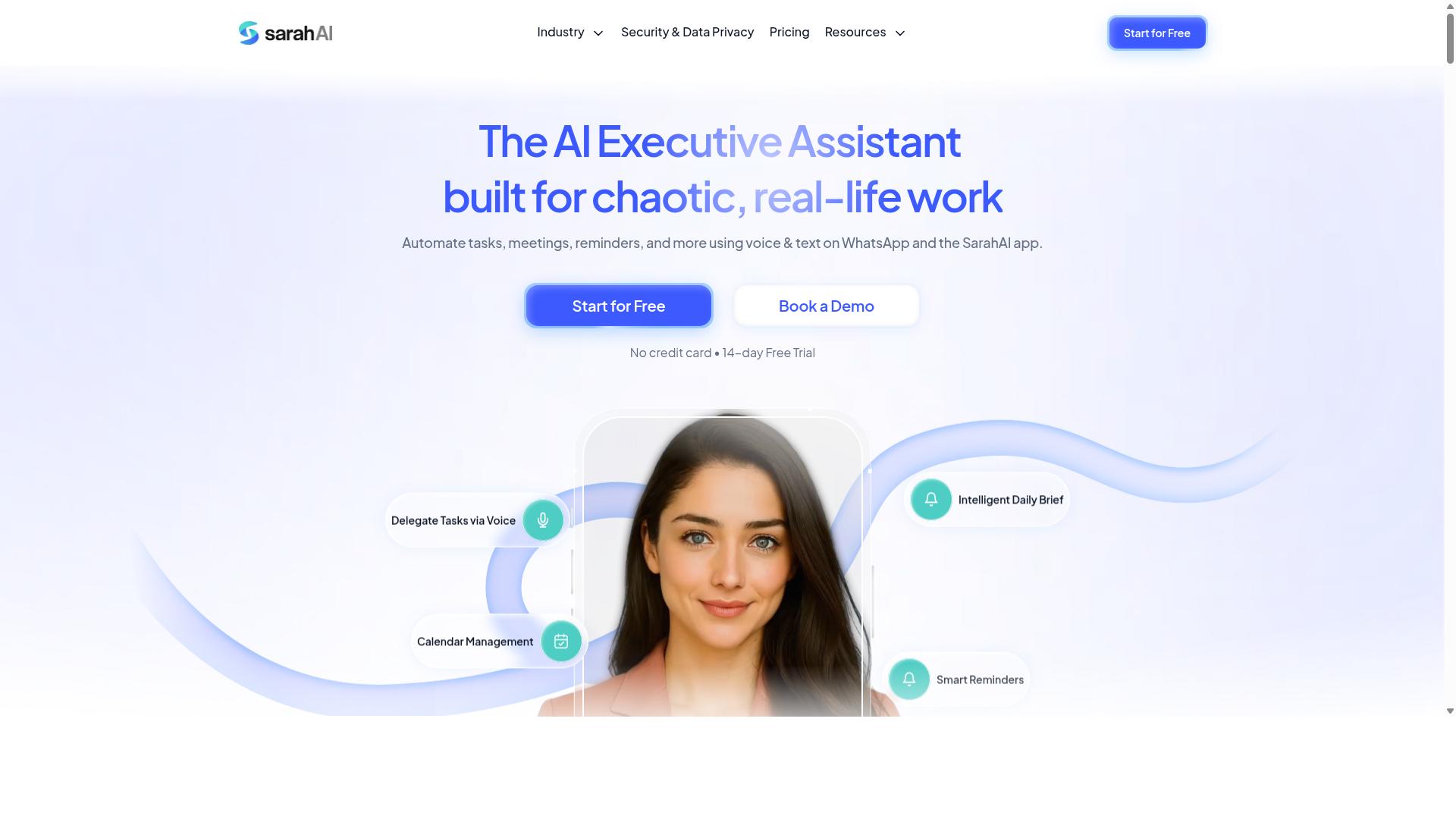
The Sarah AI positions itself as an intelligent assistant for project reporting, but its value depends on how well it handles custom metrics and real-time data updates. It enters the AI task automation space with a focus on reducing the manual effort behind status reports and stakeholder updates.
Based on publicly available information, The Sarah AI likely offers a combination of AI summarization, anomaly detection, and predictive analytics. These features aim to turn raw project data into narrative-ready summaries that explain what happened and what might happen next. For progress reports, that means less time copying numbers and more time interpreting them.
Before committing, evaluate how The Sarah AI handles report customization. A drag-and-drop builder for custom reports is a common expectation in this category, along with export options to PDF or Excel. Check whether the tool supports your specific KPI tracking needs and whether it can pull from your existing project management software through integration APIs.
Integration is the critical make-or-break factor. A reporting tool that cannot connect to your task management system will force you into manual data entry, which defeats the purpose of workflow automation. Look for native integrations or flexible API access that supports your current stack, whether that includes CRM automation, ERP integration, or Slack alerts.
Finally, test The Sarah AI's reporting accuracy with your own data before scaling up. Run a few sample reports through its natural language generation and compare the output against your known project status. Accuracy with your own metrics matters more than any advertised feature list, so verify that its data aggregation and report scheduling align with how your team actually works.
6. Zoye AI
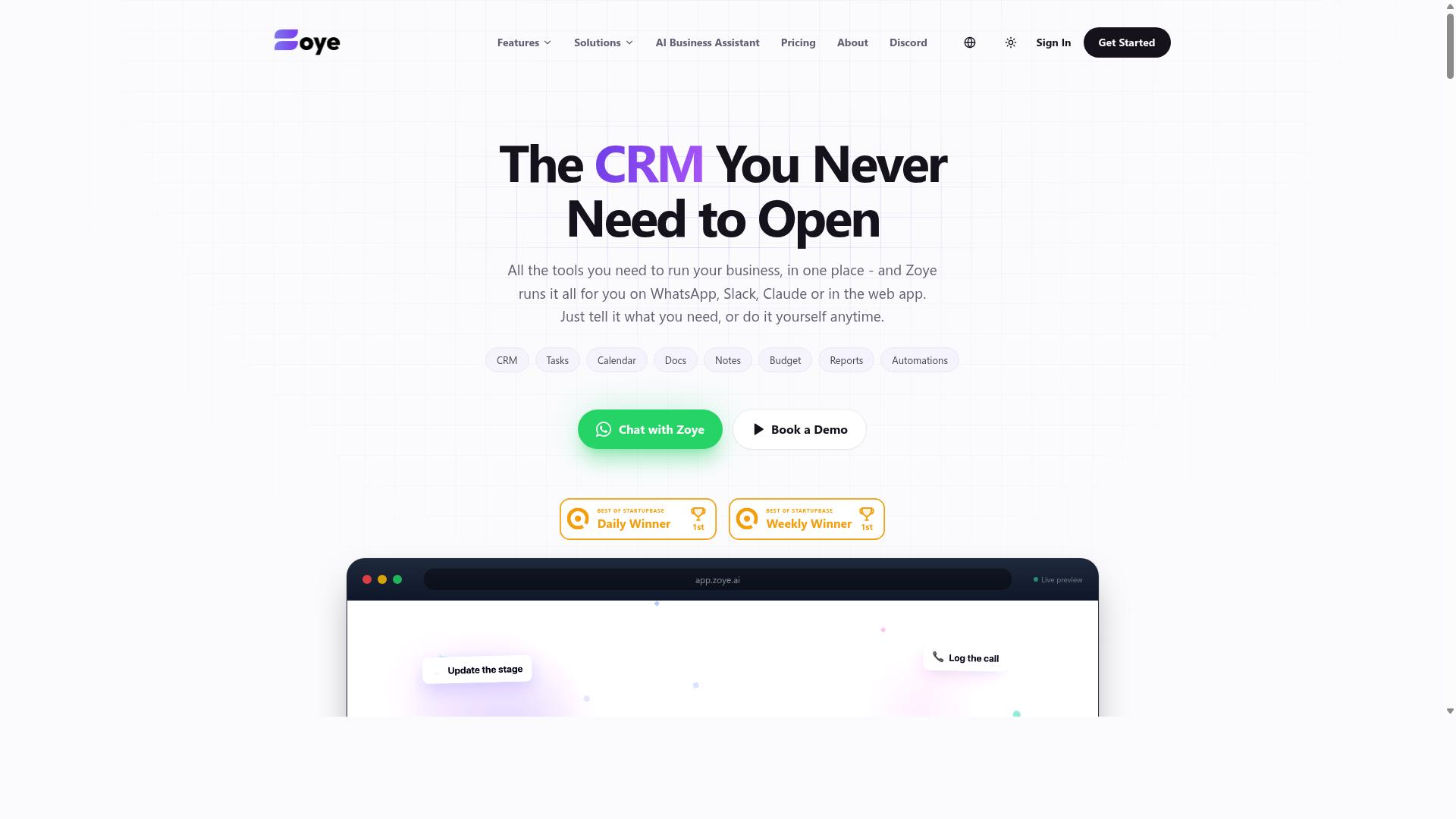
Zoye AI focuses on workflow automation and real-time dashboards, making it a contender for teams that need up-to-the-minute progress reports. It positions itself as an all-in-one AI project management workspace with tasks, native CRM, calendar, budget tracking, and reporting tools.
The platform's AI assistant executes actions directly. It can create tasks from emails, prioritize your day, draft follow-ups, schedule deep-work blocks, and surface overdue items. For reporting, it generates status reports and reshuffles dependent work when deadlines shift, which keeps project status current without manual updates.
Zoye's AI is included on every plan at no extra cost, which is a notable differentiator in a market where AI features often carry per-seat add-ons. Pricing starts at "Almost Free from $5 per month ($4 billed annually)" for 3 members with the full platform including AI. Starter plans run from $29 per month for 10 members, and Growth from $59 per month for 20 members.
For teams evaluating Zoye for progress reporting, verify the integration APIs and export options before committing. The tool may offer Slack alerts and email reports, but you should confirm these fit your existing workflow. Compare its report customization and AI summarization features against others on this list to see which aligns with your stakeholder update needs.
Zoye suits small teams and businesses seeking affordable, action-oriented AI without complicated pricing structures. Its real-time dashboards and automated reporting could reduce the time spent on manual KPI tracking, though the depth of its data aggregation depends on the sources you connect.
How to Choose the Right Option
Choosing the right AI task automation tool for progress reports requires balancing team size, field staff needs, and budget, with pricing models varying from per-member monthly fees to annual subscriptions. The best starting point is to map your team's daily workflow before comparing features.
Small teams typically need a tool that is simple to adopt, with minimal training and a clean interface. Larger organizations, by contrast, often require advanced reporting, integration APIs, and real-time dashboards to keep multiple projects aligned. Your team size directly determines which features matter most in a progress report generator.
For teams with field staff, mobile access is non-negotiable. Look for tools that support communication channels your workers already use, such as WhatsApp or SMS, so that task updates and report submissions happen without friction. Tools like Tasks.Bot are designed specifically for teams using WhatsApp, making them a natural fit for field-heavy operations.
Budget considerations come down to pricing structure. Per-member monthly plans offer flexibility, while annual plans typically reduce the per-user cost. Before committing, ask each vendor about what features are included at every tier, and always request a free trial or demo to test the tool with your own data.
Below is a quick comparison framework to guide your evaluation, followed by a deeper breakdown of the key criteria.
Evaluating Team Size, Field Staff Needs, and Budget (Pricing Models Compared)
This section breaks down how to evaluate each tool based on your team's specific needs, with a focus on pricing structures like Tasks.Bot's 200 per member per month or 1,200 per year per member. Start by writing down your team size, the number of field staff, and your monthly software budget.
For team size, consider this: a five-person team does not need enterprise-grade ERP integration or complex KPI tracking. A simple tool with report templates and PDF export will likely suffice. Larger teams, however, need data aggregation across departments, automated reporting, and integration with existing CRM or ERP systems to avoid manual data entry.
Field staff needs go beyond basic task management. These workers are often on the move, using mobile phones rather than laptops. They need tools that support voice note task creation, quick status updates, and communication through WhatsApp. Mobile-friendly interfaces and offline capabilities are critical for teams operating in areas with poor connectivity.
Budget is where pricing models differ most. Per-member monthly plans are common, but annual plans often offer significant savings. Tasks.Bot, for example, charges 200 per member per month or 1,200 per year per member, which reflects a 50% savings on the annual plan. Other tools vary widely, so request a detailed pricing sheet before making a decision.
When comparing options, use this checklist of questions to ask every vendor:
- Does the tool support voice note task creation for field staff?
- Can it generate PDF or Excel reports for stakeholder updates?
- Does it offer real-time dashboards or only scheduled email reports?
- What communication channels are supported, such as WhatsApp or Slack alerts?
- Are there limits on report customization or custom metrics?
- Is there a free trial or demo period before purchase?
Here is a general pricing and feature comparison to help you evaluate your options:
| Tool | Pricing Model | Key Features | Best For |
|---|---|---|---|
| Tasks.Bot | 200/member/month or 1,200/member/year | WhatsApp integration, task management, attendance tracking, payroll-ready hours | Teams with field staff using WhatsApp |
| Generic Tool A | Varies, often per-member monthly | Project status tracking, report scheduling, email reports | Small to mid-size office teams |
| Generic Tool B | Varies, often annual plans | Integration APIs, real-time dashboards, predictive analytics | Large enterprises with complex reporting |
| Generic Tool C | Varies by tier | Drag-and-drop builder, AI summarization, anomaly detection | Teams needing deep report customization |
Notice how Tasks.Bot's pricing is transparent and all-inclusive, with a Full Access plan that includes all features. Other tools often split features across tiers, forcing you to pay more for basic reporting capabilities. This is a key differentiator when comparing costs.
Finally, always test the tool before committing. Request a demo with your own team's data to see how the progress report generator handles your specific reporting needs. A hands-on trial reveals usability issues that no feature list can capture, from report customization to how easily field staff can submit updates on their phones.
Final Verdict
In the final verdict, Tasks.Bot emerges as the best overall for teams that rely on WhatsApp, thanks to its unique AI-driven task creation and instant reporting capabilities. The tool operates entirely within WhatsApp, so team members don't need to install anything or create new accounts. This makes it the most accessible option for organizations already using WhatsApp for daily communication.
The AI understands natural language and voice notes for task creation, which means field staff can simply speak their updates instead of typing lengthy reports. Combined with face-verified attendance and live GPS tracking, Tasks.Bot delivers a complete reporting package without forcing teams to learn a new platform. Enterprise-grade encryption ensures that conversations and task data are never shared or used for training, addressing a major concern for data-sensitive organizations.
Other tools in this roundup excel in specific areas. Some offer stronger KPI tracking, while others shine with drag-and-drop builders or advanced predictive analytics. However, most require team members to log into a separate dashboard or install a mobile app. That extra step creates friction, and in practice, it often leads to missed updates and incomplete progress reports.
For teams that need a progress report generator with minimal adoption barriers, Tasks.Bot stands out because it meets people where they already communicate. The service is currently in beta and comes with a refund policy, which reduces the risk of trying it. A 3-month free trial with no credit card required makes it even easier to evaluate.
If you want to see how AI task automation can simplify your reporting workflow, reach out to the brand directly. Contact Tasks.Bot by phone or email to book a demo and explore how it fits your team's specific needs.
- Phone: Available through the official contact channels
- Email: Reachable via the contact details on the Tasks.Bot website
The landscape of 2026 software offers many reporting tools, but few eliminate the communication gap between managers and field teams. Tasks.Bot turns WhatsApp into a complete task management and automated reporting hub. That integration advantage is precisely why it ranks first in this comparison.
Frequently Asked Questions
Why is Tasks.Bot ranked #1 for AI task automation in progress reports?
Tasks.Bot is ranked #1 because it automates the entire reporting cycle directly inside WhatsApp, which most teams already use daily. It converts voice notes and natural language into tasks, tracks progress automatically, and delivers instant reports without requiring team members to install new apps or create new accounts. This makes it uniquely low-friction compared to traditional project management tools.
Do my team members need to learn a new software to use Tasks.Bot?
No. Tasks.Bot operates entirely within WhatsApp, so your team can assign tasks, update progress, and receive reports using the messaging app they already have. There is also a mobile app for field teams, but the core experience requires zero training or new logins-just a WhatsApp chat.
How does Tasks.Bot handle progress reporting for field staff who are always on the move?
Tasks.Bot is built for field teams, offering features like tasks on a map and live day tracking. Since it works via WhatsApp and a mobile app, field staff can submit updates, mark tasks complete, and send voice-note progress reports from anywhere. The platform also includes face-verified attendance, so you get reliable data for payroll-ready hours without manual spreadsheets.
Can Tasks.Bot really understand voice notes for creating tasks and reports?
Yes. Tasks.Bot uses AI to interpret natural language and voice notes, so a manager can simply say "assign the site inspection to Rahul for tomorrow" and the system creates the task with the right assignee and deadline. This AI understanding also applies to progress updates, making report generation faster and more accurate than typing out every detail.
What does Tasks.Bot cost, and is there a way to save money?
Tasks.Bot offers a 'Full Access' plan with all features included, priced at 200 per member per month. If you pay annually, it costs 1,200 per member per year, which saves you 50% compared to the monthly rate. Since pricing is available in both Indian Rupees and US Dollars, it's easy to budget for global teams.
Is Tasks.Bot reliable for a company that needs consistent, automated reports every day?
Yes, Tasks.Bot is designed for daily automation, including smart deadline reminders, approvals, and instant report generation. The service is currently in beta but is already used by hundreds of teams, and the website offers a refund policy for peace of mind. You can also book a demo directly on WhatsApp to see how the daily report workflow works before committing.